SD/MM integration: nothing in SAP TM really starts in SAP TM
Why the loop between ERP demand and TM execution is where integration succeeds or fails. By Deborah Born.
From execution to the ERP
Issue 2 followed the freight order: the document that carries a shipment through planning, tendering, execution and settlement.
This issue steps back one level. Where does that freight order come from, and where do its results go once the movement is complete?
In an integrated SAP landscape, transportation demand usually starts in the ERP: with a sales order, a delivery or a purchase order. TM also supports demand entered directly as forwarding orders, and freight orders can be created manually.
Getting demand into TM is usually the part projects get right. The return flow is where it breaks unnoticed.
Demand to execution and back
SAP TM plans, executes and settles. In the shipper scenario it does not create demand, and it does not own the business view of the result. SD and MM supply the first. SD, MM and FI-CO depend on TM for the second.
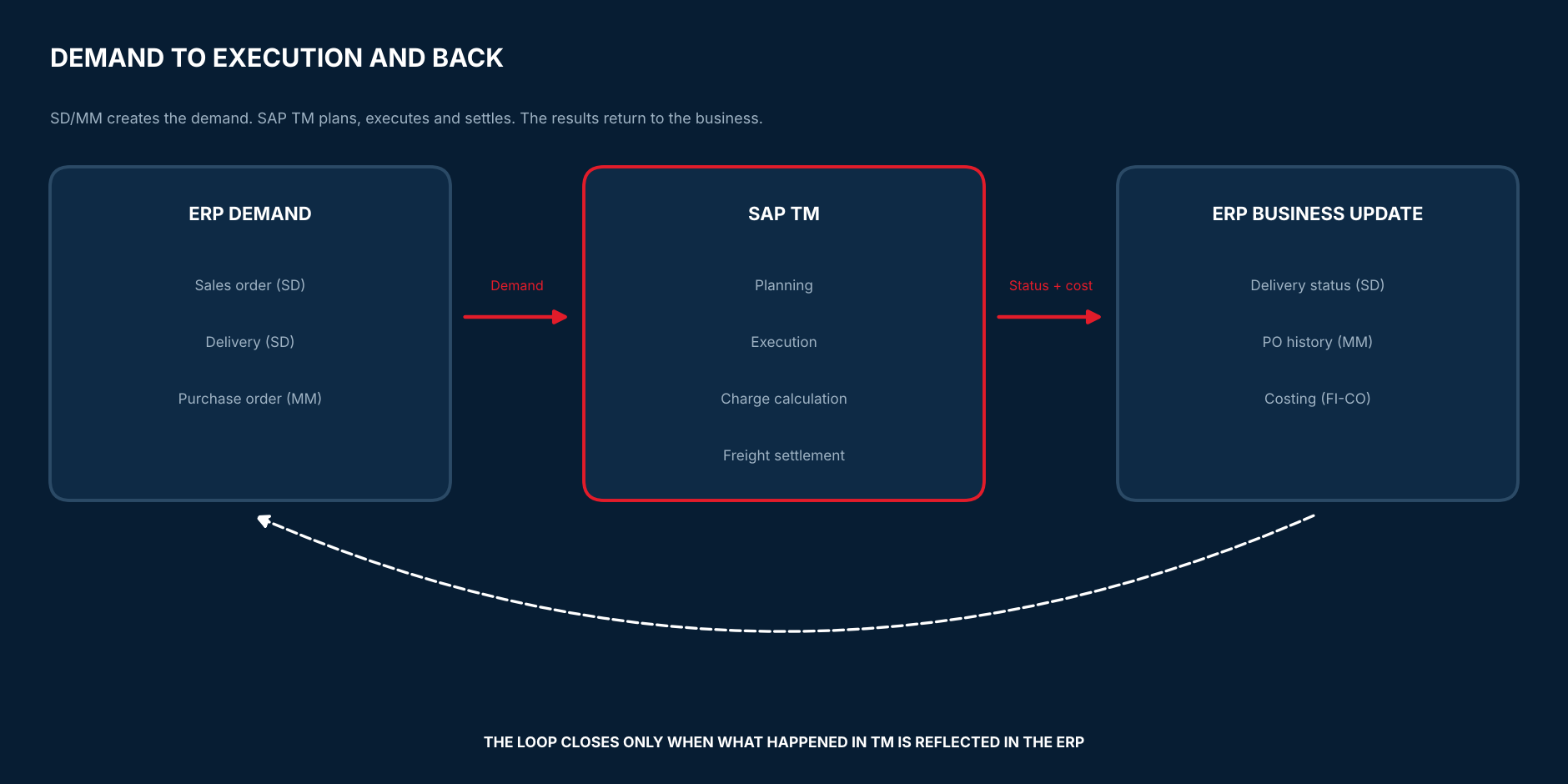
The end-to-end flow
- ERP creates the demand: a sales order (SD), an outbound delivery (SD) or a purchase order (MM) represents the transportation need.
- Demand integration: the demand is passed to TM, based on the order or on the delivery.
- SAP TM plans, executes and settles: planning (shipments, freight orders, tendering), execution (carrier tracking, events), charge calculation (rates, surcharges, calculation sheets) and freight settlement (carrier payables) and, where applicable, forwarding settlement (customer receivables).
- Confirmation and costs flow back: status updates, events, settlement data and actual costs return to the ERP.
- The business is updated: relevant delivery status and proof of delivery reach SD; freight settlement creates its own service purchase order in MM, with invoice status tracked through the settlement document flow; costs are posted in FI-CO according to the configured account assignment.
Order-based or delivery-based?
This is the design decision that shapes the rest of the integration. Order-based and delivery-based integration both start the freight order, but they start it at different moments.
The choice drives how freight orders are created and is critical for planning timeliness and accuracy. It also affects lead time and how replanning behaves when something changes upstream.
Revisit it as the business changes. A choice made early in the project is easy to treat as permanent, even while order patterns, lead times and processes move around it.
Where the loop usually breaks
Integration often fails without an error message: the loop does not close, and the business is left with questions about status, cost or profitability that nobody can answer quickly.
Four areas decide whether it closes:
- Demand integration: it gets TM started. Order-based or delivery-based, it drives the freight orders.
- Execution updates: they keep the ERP in sync. Delivery status, proof of delivery and milestone events must reflect what actually happened in TM.
- Cost integration: it posts to the right cost. Settlement creates a service purchase order, and costs are posted in FI-CO according to the configured account assignment. This is required for accurate profitability and reporting.
- Design decisions: they have a lasting impact: order-based versus delivery-based, lead time and replanning, and clear ownership for monitoring and reconciliation.
Rule of thumb: if the business cannot quickly answer where a shipment is or what it cost, do not start in TM. Follow the loop and check which return step stopped closing: status, cost or ownership.
Where to see this in SAP
Do not only look at the freight order. Follow one transportation requirement through the loop and compare what each side shows. Typical starting points are VA03 (sales order), VL03N (outbound delivery), ME23N (purchase order) and the freight order itself (for example /SCMTMS/FRE_ORDER in SAP GUI environments, or the relevant SAP Fiori apps).
Use them to test whether the loop is closing:
- Delivery status: Does the ERP delivery reflect what TM reports as completed, including proof of delivery?
- PO history: Do the actual freight costs and invoice status appear against the service purchase order that settlement created?
- Costing: Is the cost posted to the right order, project or cost centre?
- Ownership: Who monitors and reconciles when TM and the ERP disagree?
The LinkedIn conversation
The SAP TM integration graphic from the SAP TM Hub generated around 58 reactions, 1 comment and 17 reposts. That is a strong signal in a specialist SAP TM community.
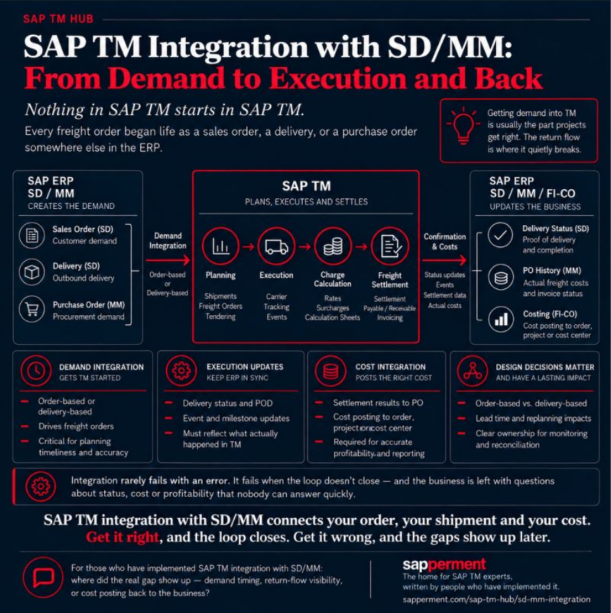
Why did people pass it on? Because it moved the conversation away from the TM screens and onto the part that is easy to miss: the return flow, where status, cost and profitability reach the business.
Community question
For those who have implemented SAP TM integration with SD/MM: where did the real gap show up?
Demand timing? Return-flow visibility? Or cost posting back to the business?
Share what you see most often. The strongest answers may help shape a future SAP TM Hub article.
The SAP TM Hub
The TM Navigator is part of the sapperment SAP TM Hub: an independent place for practical knowledge, credible voices and relevant opportunities across the SAP TM market.
See the integration page at sapperment.com/sap-tm-hub/sd-mm-integration. Share an implementation lesson. Nominate an SAP TM voice worth following. Or make yourself visible to the talent network.
Connect. Learn. Lead.